
Never forget to follow up with a customer again.
Keep customer enquiries, notes and next steps together in one simple, free tool.
No credit card needed. Try it before signing up.
No spreadsheets. Promise.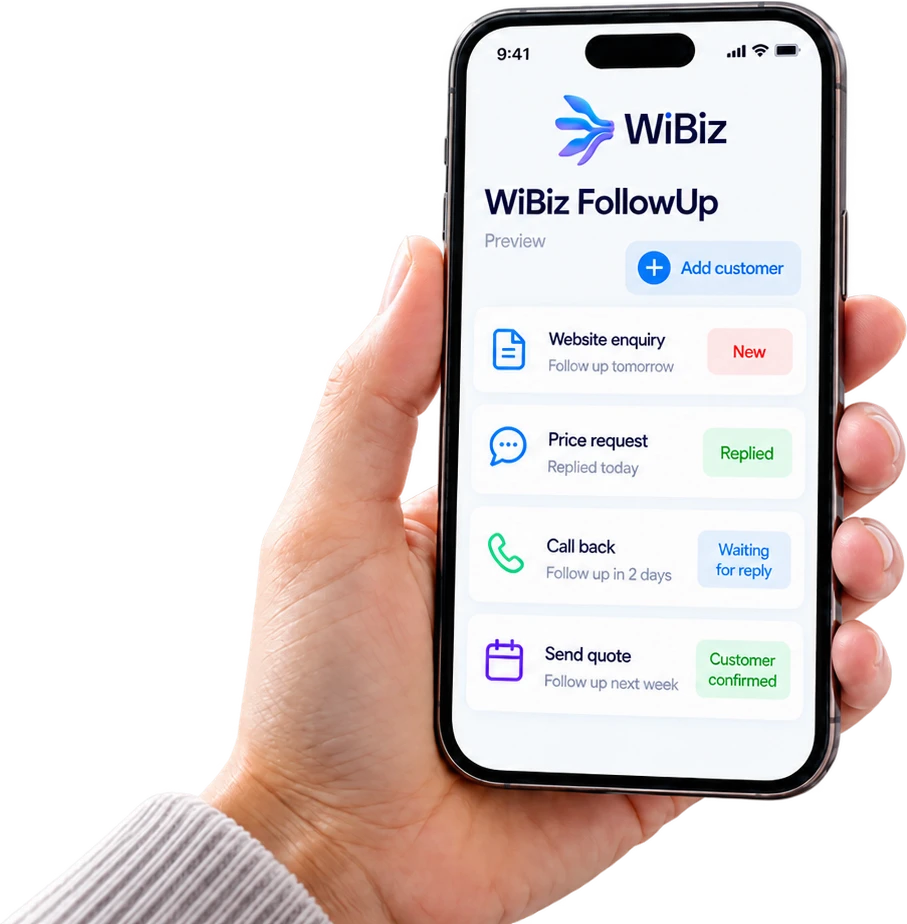
Sound familiar?
You’re busy running your business. Messages are coming in, customers are asking questions, and you’ve got a hundred things to remember. Then suddenly, you realize…
“Someone asked me for a quotation last week. Did I reply?”
“I was supposed to call that customer yesterday!”
“That person said they’d get back to me. What happened?”
“I know we had some interested customers, but I can’t remember who.”
It happens. And sometimes, a forgotten follow-up means a missed sale.
The good news? Keeping track doesn’t have to be complicated.
Meet your new follow-up helper.
WiBiz FollowUp is a simple, free tool that helps you remember who needs a reply, who you’re waiting to hear from, and what you need to do next.
Think of it as your customer to-do list, but more organized. No messy notes. No guessing who you last spoke to. No complicated software to learn.
Try WiBiz FollowUp for freeMore customers
come back.
Just your customers, their requests and your next steps - all in one place.
How it works
Get started in three simple steps. No special skills needed.
Add a customer
Someone messaged you, asked about your services, or requested a price? Add their name and what they need.
Choose when to follow up
Need to call tomorrow? Send a quote on Friday? Check back next week? Set a date so you know when it’s time.
See what needs your attention
Open your list to see who needs a reply, what’s still waiting, and what’s already done.
Take a look at how simple it is.
Every customer has a status: New, Replied, Waiting for reply, Customer confirmed or Closed. Click a customer, add a note, choose the next step, and move on with your day.
No spreadsheets. No complicated setup.
Try it yourselfYou can explore the tool with example customers before creating an account.
 My Customer Follow-UpsExample data
Less remembering. More getting things done.
Know who needs a reply.
See the customers you need to contact without searching through old messages or handwritten notes.
Never lose track of a conversation.
Save a quick note about what your customer asked for and what happens next.
Stay on top of your day.
See what’s due today, what’s coming up, and what’s already overdue.
Tick things off.
Mark follow-ups done, or choose another day when plans change.
Keep everything organized.
Whether you have five customers or fifty, keep their requests and follow-ups together.
Feel more in control.
Spend less time wondering what you’ve forgotten and more time taking care of your customers.
Whatever your business, there’s always someone to follow up with.
Running a salon or beauty business?
Keep track of customers asking about treatments, prices, available appointments, or bookings they haven’t confirmed.
Managing a home service business?
Remember which customers requested a quotation, who needs a callback, and which jobs are waiting for approval.
Working in sales?
Keep potential customers organized so you know who to contact next and which conversations still need attention.
Running an agency or consultancy?
Stay on top of client enquiries, proposals, meetings, and people who haven’t responded.
Managing a small team?
Keep customer follow-up tasks organized so important requests don’t get forgotten.
One simple tool.
Plenty of ways to make your day easier.
Yes, it’s really free to get started.
We believe keeping track of customers shouldn’t have to be difficult or expensive. You can get started with the essentials:
- Keep a list of customer enquiries.
- Record important notes and next steps.
- Set dates for your follow-ups.
- See which customers need attention.
- Track each customer from new enquiry to closed.
Create a free account to save your work.
No credit card needed.
Built for business owners who already have enough on their plate.
Running a business means wearing a lot of hats. You’re answering messages, helping customers, checking bookings, giving quotations, managing your team, and trying to find time for everything else.
At WiBiz, we believe technology should make your work easier - not give you another complicated system to figure out. That’s why we created FollowUp: a simple way to stay on top of customer conversations without the extra hassle.
Start small. Get organized. Make your day a little easier.
The WiBiz teamFrequently asked questions
Quick answers to common questions.
Is WiBiz FollowUp really free?
Do I need to know anything about technology?
Do I need to install anything?
Do I need to create an account?
Can I use it on my phone?
Will it automatically reply to my customers?
Can I download my list?
Will you subscribe me to marketing emails?
Is it suitable for my business?
What happens to my information?
Will I be forced to upgrade?
Your information matters. Review the WiBiz Privacy Policy before saving customer information.
You’ve got the hang of staying organized. Want it to run a little by itself?
FollowUp keeps track of your customers. WiBiz can take the repetitive part off your plate: catching enquiries from the channels you already use, replying quickly, and nudging the right person at the right time.
Find your follow-up gaps
Tell us how enquiries reach you today and see where customers might be slipping through the cracks.
Start my WiBiz auditGet your free automation blueprint
A practical picture of what could be automated in your business and where to start, based on how you already work.
Get my blueprintKeep using the free tool as long as you like. Or see everything WiBiz can do at start.wibiz.ai.
Your next customer could be waiting for a reply.
Don’t let another conversation get forgotten. Start keeping track of your customers today, with a simple tool that’s free to use.
Start tracking customers for freeNo credit card required. No complicated setup. Just a simpler way to stay on top of your customers.